
DJIA Cache – Performance Tab
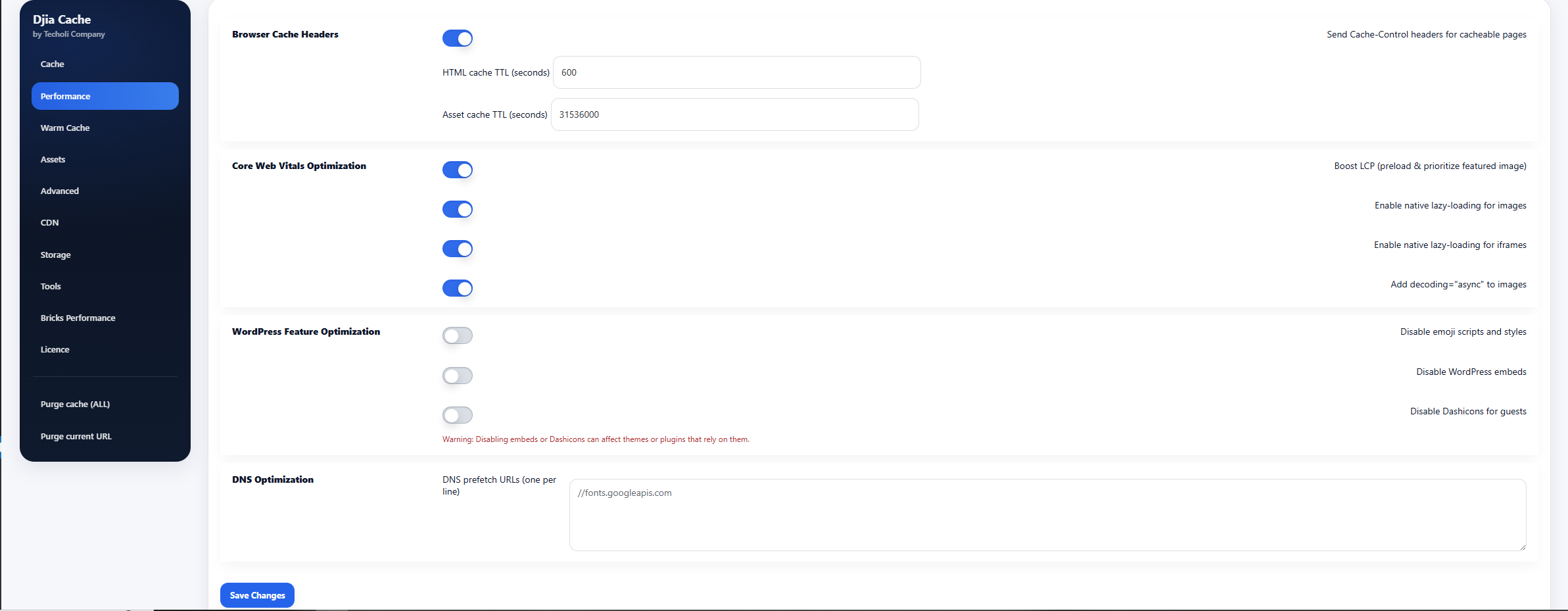
Browser Cache Headers
Send Cache-Control headers for cacheable pages
When enabled, DJIA Cache sends Cache-Control and ETag headers for cached pages.
These headers allow browsers to store cached responses and reuse them without requesting the full page again.
Benefits:
- faster repeat visits
- reduced server load
- improved page load performance
HTML cache TTL (seconds)
Defines how long HTML pages should remain cached in the visitor’s browser.
Example:
3600
This means the browser will keep the cached HTML page for 3600 seconds (1 hour) before requesting a new version.
Asset cache TTL (seconds)
Defines how long static assets should be cached in the browser.
Assets include:
- CSS files
- JavaScript files
- images
- fonts
Example:
31536000
This equals 1 year of browser caching.
Using longer TTL values for static assets improves performance because browsers do not need to download the same files repeatedly.
Core Web Vitals Optimization
These settings help improve Google Core Web Vitals metrics, including LCP, CLS, and overall page rendering performance.
Boost LCP (preload & prioritize featured image)
Preloads and prioritizes the featured image on posts and pages.
This helps the browser load the most important visible image earlier, improving Largest Contentful Paint (LCP).
Benefits:
- faster above-the-fold rendering
- improved PageSpeed Insights scores
- better user experience
Enable native lazy-loading for images
Adds the following attribute to images where safe:
loading="lazy"
This defers loading of offscreen images until they are about to enter the viewport.
Benefits:
- faster initial page load
- reduced bandwidth usage
- improved performance on mobile devices
Enable native lazy-loading for iframes
Adds the following attribute to iframe elements where safe:
loading="lazy"
This delays loading of embedded content such as:
- YouTube videos
- Google Maps
- third-party widgets
until they become visible.
Add decoding=”async” to images
Adds the following attribute to images:
decoding="async"
This allows browsers to decode images asynchronously, reducing rendering delays and improving page responsiveness.
WordPress Feature Optimization
These options disable unnecessary WordPress features that often load additional scripts or styles.
Removing them helps reduce page size and improve performance.
Disable emoji scripts and styles
Removes WordPress emoji scripts and styles from the front-end.
This eliminates unnecessary JavaScript and CSS that are rarely needed.
Benefits:
- fewer HTTP requests
- smaller page size
- faster page loading
Disable WordPress embeds
Disables WordPress oEmbed functionality and related scripts.
This prevents WordPress from automatically embedding external content such as tweets or videos.
Benefits:
- fewer scripts loaded
- reduced front-end overhead
Disable Dashicons for guests
Removes Dashicons CSS for visitors who are not logged in.
Dashicons are primarily used in the WordPress admin interface and are usually not required on the front-end.
Benefits:
- reduces CSS size
- improves loading speed for visitors
⚠ Warning
Disabling embeds or Dashicons may affect themes or plugins that rely on them.
Always test your website after enabling these options.
DNS Optimization
DNS prefetch URLs
Allows you to define external domains for DNS prefetching.
DNS prefetch helps browsers resolve domain names earlier so that external resources load faster.
Example:
 //fonts.googleapis.com
 //fonts.gstatic.com
 //cdn.jsdelivr.net
Each hostname should be placed on a new line.
This is especially useful for:
- font providers
- CDNs
- analytics scripts
- external APIs