
DJIA Cache – Tools Tab
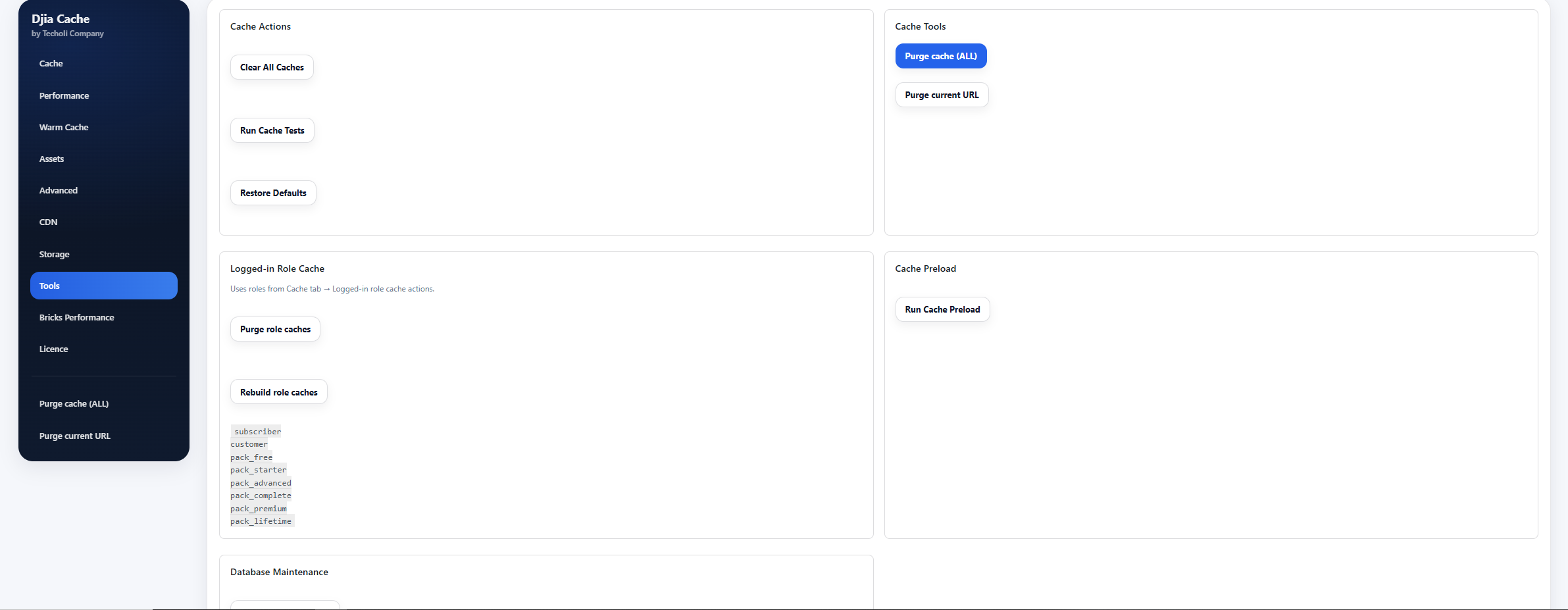
The Tools tab provides utilities for managing cache, running diagnostics, maintaining the database, and monitoring cache usage.
These tools help administrators quickly manage performance and troubleshoot potential issues.
Sections included in this tab:
- Cache Actions
- Cache Tools
- Cache Preload
- Database Maintenance
- Cache Statistics
Cache Actions
This section provides quick administrative actions for managing cache and plugin settings.
Clear All Caches
Clears all cache types managed by DJIA Cache.
This includes:
- page cache
- asset cache
- object cache
- generated optimization files
Use this option when:
- updating themes or plugins
- modifying styles or scripts
- troubleshooting caching issues
Run Cache Tests
Executes diagnostic tests to verify that DJIA Cache is functioning correctly.
The test checks items such as:
- cache write permissions
- cache directory accessibility
- drop-in availability
- caching behavior
Restore Defaults
Restores all DJIA Cache configuration settings to their default values.
⚠ Warning:
This action resets all plugin settings and cannot be undone.
Cache Tools
Provides quick actions for clearing specific cache types.
Purge cache (ALL)
Immediately removes all HTML page cache files.
This forces DJIA Cache to regenerate fresh cache when pages are next visited.
Purge current URL
Clears the cache for the currently viewed page or URL only.
This is useful when:
- editing a specific page or post
- testing layout or style changes
- debugging page-specific issues
Cache Preload
Allows administrators to manually generate cache before visitors access the site.
Run Cache Preload
Starts the cache preload process.
DJIA Cache will:
- read URLs from the configured sitemap
- request each page
- generate cached HTML versions
Benefits:
- faster first visitor load
- warm cache after purge
- improved performance consistency
Database Maintenance
Provides tools for cleaning and optimizing the WordPress database.
Run Database Cleanup
Deletes unnecessary database data such as:
- post revisions
- trashed posts
- expired transients
⚠ Warning:
This operation is irreversible and permanently removes these items.
Optimize Database Tables
Runs optimization queries on WordPress database tables.
This helps:
- reduce table fragmentation
- improve database performance
- reclaim unused storage space
⚠ Warning:
Table optimization may take longer on websites with large databases.
Cache Statistics
Displays information about current cache usage.
Page Cache Statistics
Shows a breakdown of the page cache directory, including:
- number of cached files
- total storage size used
- cache directory location
This helps administrators monitor how much disk space the cache is consuming.